
How to Manage Cake Orders Without the Chaos (Inquiry to Paid in Minutes)
It usually starts with a lovely message: "Hi! Do you have space for a two-tier birthday cake on the 14th?" Twenty minutes later that message is buried under three others, the deposit is unconfirmed, and you are trying to remember whether you promised buttercream or ganache. Nothing has gone wrong yet — but the chaos has already begun.
Order management is the quiet skill that separates a stressful bake week from a calm, profitable one. The good news: it is not about working harder or buying five different apps. It is about having one place where every inquiry becomes a quote, every quote becomes a booking, and every booking ends with money in your account.
Key Takeaways
- Every cake order moves through five predictable stages — capturing them in one place removes most of the admin stress.
- Logging an inquiry with the date, flavours and design brief in under a minute prevents double-booking and forgotten details.
- Quotes built from real recipe costs protect your margin far better than a price pulled from memory.
- A single view of your bake week tells you what to shop for, prep and deliver — before Monday arrives.
- Tracking deposits and balances is what turns a busy diary into a paid one.
Every cake order has the same five stages
Whether it is a batch of cupcakes or a four-tier wedding centrepiece, the journey is identical: inquiry, quote, booked, bake week, paid. Most bakers do all five — they just do them across a notes app, a chat thread, a spreadsheet and a paper diary. Cake Aide Pro keeps them on one rail so you can see, at a glance, exactly where every order sits.
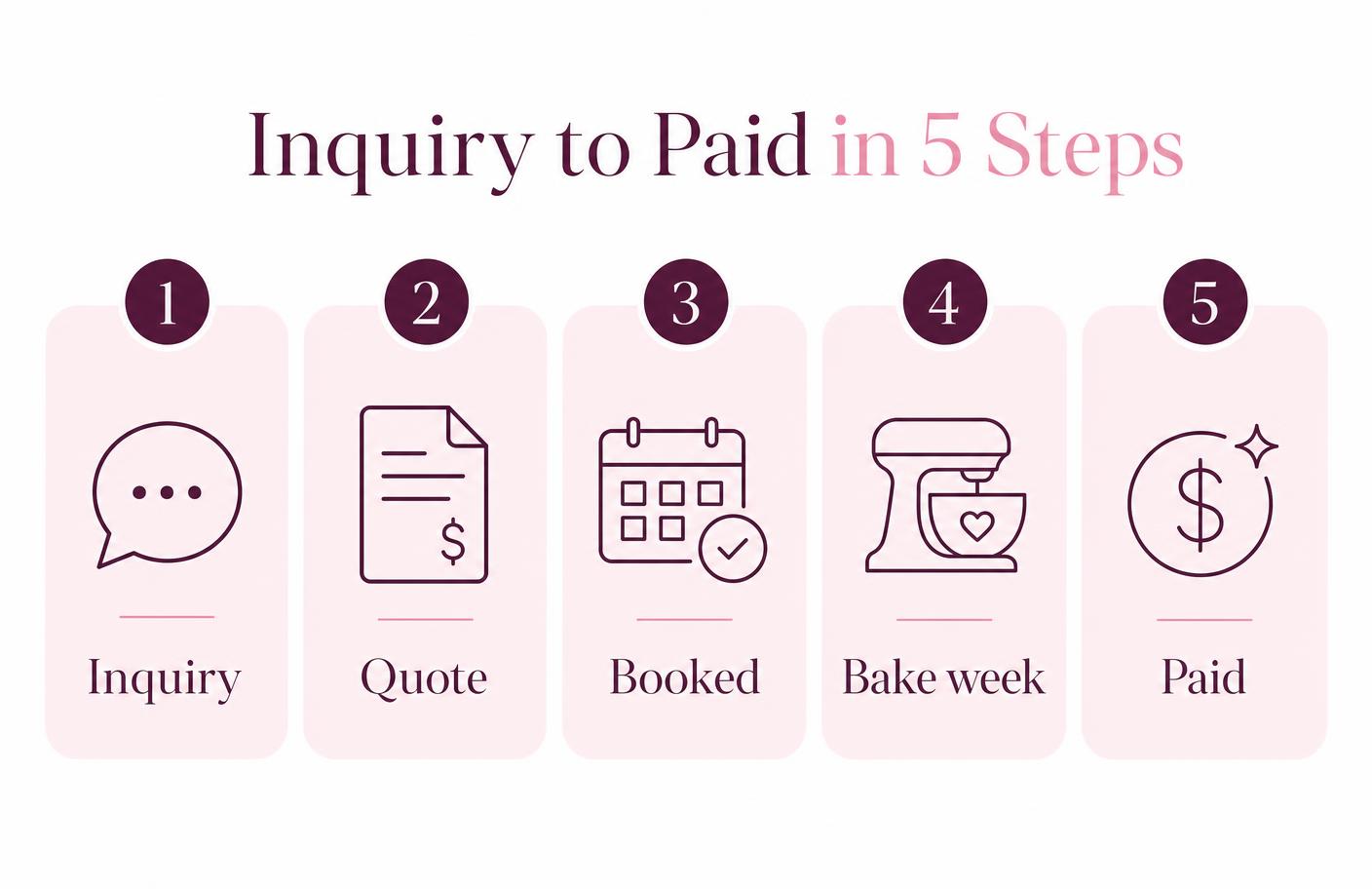
1. Capture the inquiry in under a minute
The moment an inquiry lands, add the order: date, customer, flavours, servings, allergies, delivery or collection, and a line about the design. That is it. Because the date goes straight into your calendar, you instantly see whether you already have two cakes out that weekend — the simplest way to stop over-committing.
Customer details are saved to the CRM as you type, so returning clients bring their history with them. No more scrolling back through eight months of messages to remember what Sarah ordered last year.
2. Quote from real costs, not a guess
This is where profit is won or lost. Instead of recalling roughly what you charged last time, build the quote from your costed recipes: ingredients at current prices, your hourly rate for decorating time, plus boards, boxes, dowels and delivery. You get a number you can defend — and a margin you can see before you say yes.
Send it while the excitement is fresh. A same-day quote converts far better than one that arrives four days later.
3. Turn a yes into a booking
When the client confirms, mark the order booked and record the deposit. The order moves out of your "waiting" pile and into your production schedule, and the balance owing is tracked automatically. Your diary stops being a list of maybes and starts being a forecast.
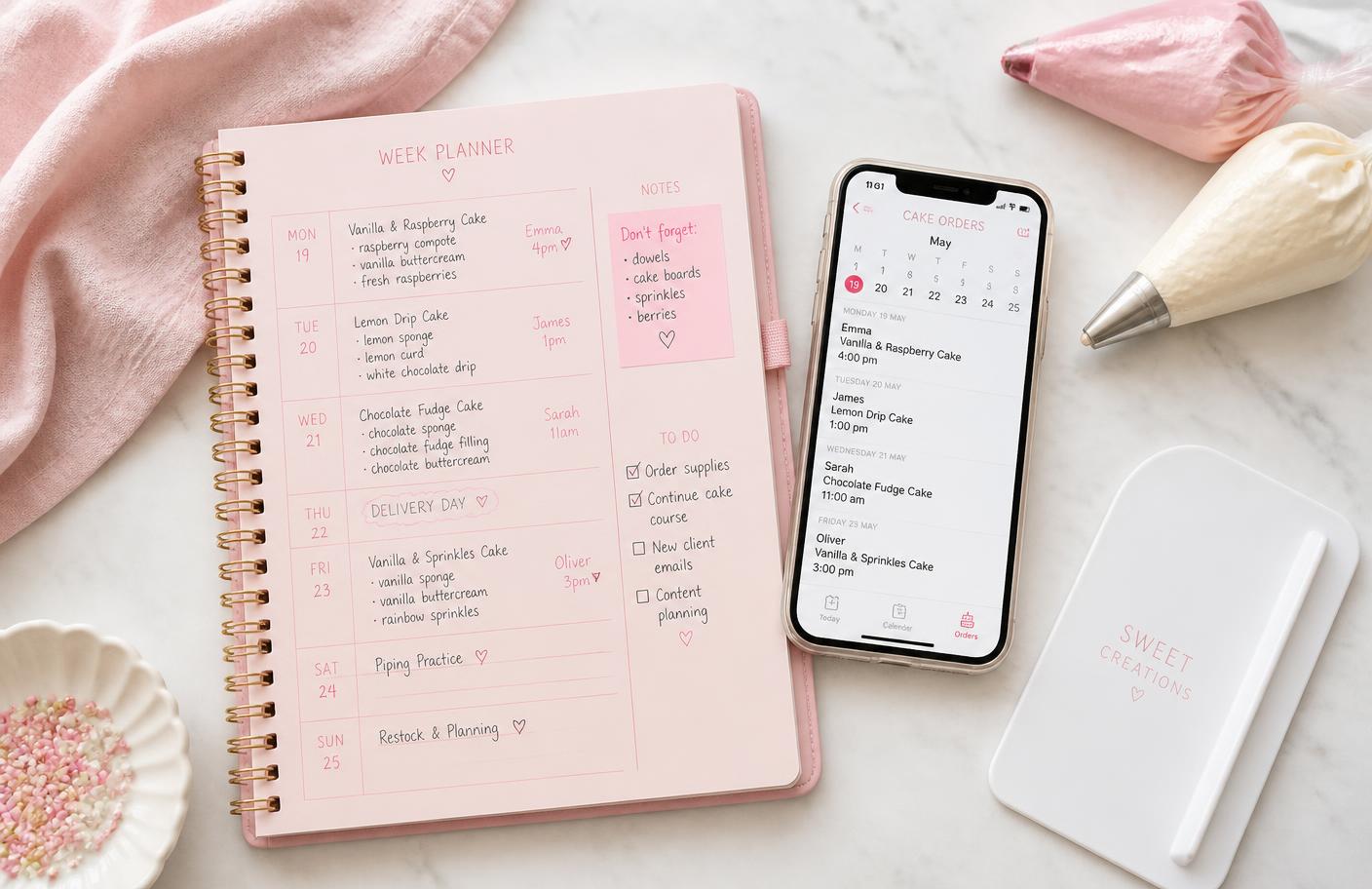
4. Let the week plan itself
Open your week and you see every order by day, with flavours, sizes and collection times. From those orders, Cake Aide Pro works out what ingredients you actually need and builds your shopping list — checked against what is already in your pantry, so you buy the two bags of caster sugar you are short of rather than a sixth bottle of vanilla.
Prep in the right order, tick tasks off as you go, and finish the week without a single "what was I supposed to be doing today?" moment.
5. Get paid, then learn from it
Mark the balance received on collection and the order closes cleanly. Over a few months, the picture that builds up is genuinely useful: which cakes earn the most per hour, which months are quietest, which customers keep coming back. That is the information that helps you raise prices with confidence and choose the work you actually enjoy.
Why this feels easier than what you do now
- One source of truth. Orders, customers, recipes, costs and shopping all connect — nothing is retyped.
- Nothing slips. Dates, deposits and balances are visible, not remembered.
- It fits your day. Quote on your phone between school runs, plan on the iPad in the kitchen, review the numbers on your laptop.
- It is fast to start. Add your next three orders and you already have a working schedule.
Managing cake orders will never be the fun part of the job. But it can take ten quiet minutes a week instead of hijacking every evening — and that is time back for the piping bag.
See how order management works in Cake Aide Pro, or start your free seven-day trial and add your next order in under a minute.
Frequently Asked Questions
Log each order once with the date, customer, flavours, servings and design notes in a dedicated order tracker like Cake Aide Pro. Because the date lands in your calendar and the customer is saved to your CRM, you can see your whole week and every client history without maintaining a spreadsheet.
Date and time needed, customer contact, servings or tier sizes, flavours and fillings, allergies, delivery or collection, budget, and a short design brief. Capturing this up front means your quote is accurate and you avoid double-booking a busy weekend.
Quotes are built from your costed recipes, so ingredients are priced at what you actually pay, decorating time is charged at your hourly rate, and extras such as boards, boxes and delivery are included. You see the margin before you accept the job.
Yes. Cake Aide Pro works out the ingredients needed for the orders in your week, checks them against your pantry stock and builds a shopping list of only what you are short of.
Yes. Record the deposit when an order is booked and mark the balance received on collection, so you always know which orders are paid and which still owe money.